Prettify AI
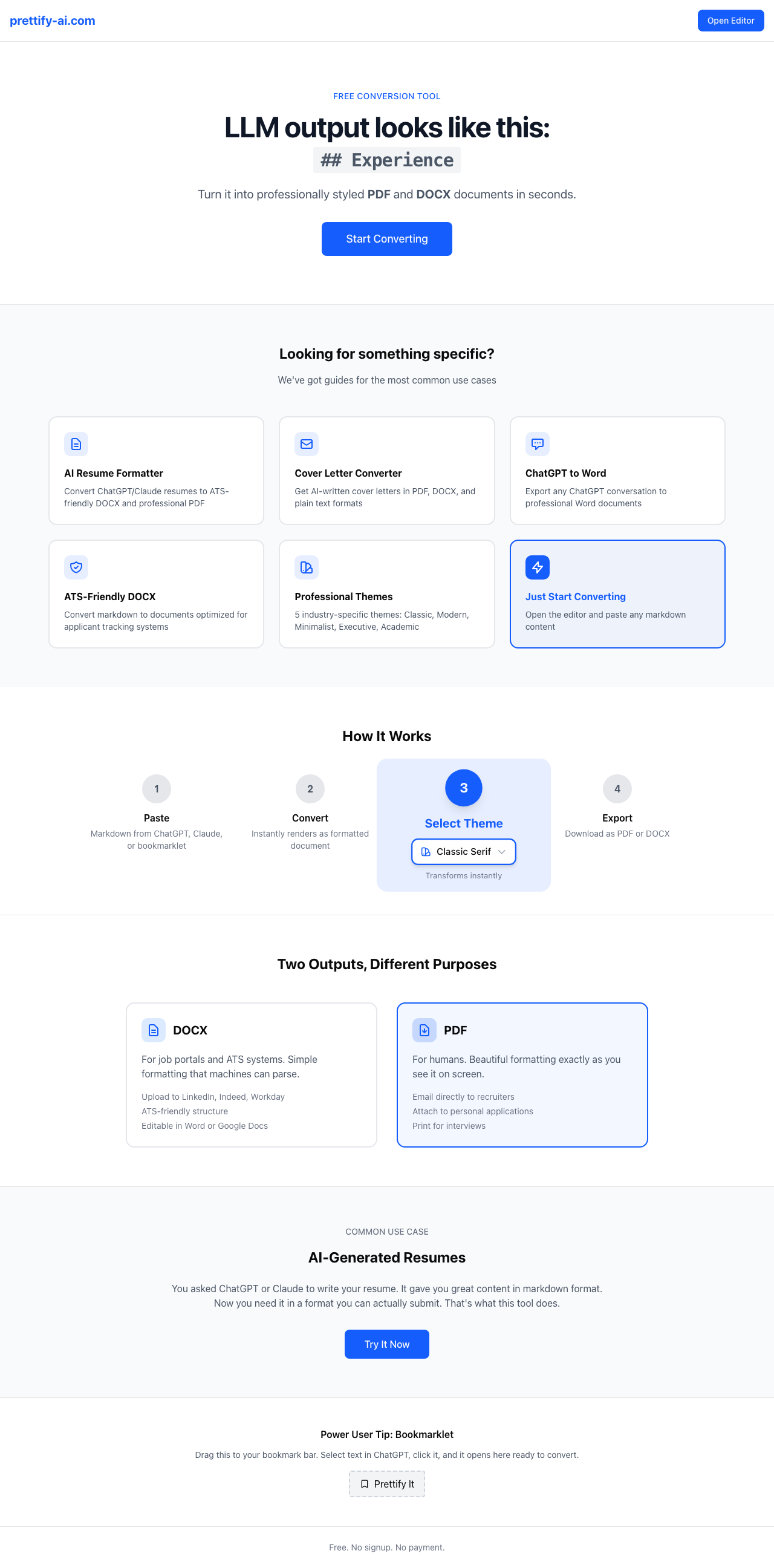
LLM output comes out as markdown. Prettify turns it into a document a human would actually hand to another human. No formatting tools, no manual cleanup, no black-box PDF converters.
The Problem
AI generates markdown. Humans exchange PDFs and DOCX files. The gap between those two facts is where productivity dies. Copy markdown into Word, fix the formatting. Copy into Google Docs, lose the structure. Export a PDF from either, hope for the best.
The formatting step — markdown in, professional document out — is mechanical. It doesn't require intelligence. It requires a reliable, styled pipeline. But no tool existed that handled this cleanly for LLM-generated content specifically: the long-form resumes, structured reports, and formatted outputs that AI tools produce but can't finish.
The second problem: most document converters are black boxes. They make decisions you can't audit or override. Font choices, margin behavior, heading hierarchy — all hidden. When the output looks wrong, you can't diagnose why or fix it without switching tools entirely.
The Approach
Markdown as the protocol. The LLM produces structured markdown; the formatter applies a theme and exports to the target format. The architecture has two output paths with different design constraints:
The TipTap Editor
Markdown pastes into a TipTap WYSIWYG editor. The editor handles parsing, renders the content into a structured document model, and gives the user a live preview. No black box — the editor state is inspectable and the output is exactly what you see.
Theme System: Two Output Paths
Six themes split into two categories by use case. Four decorative themes — visual hierarchy, professional typography, print-optimized CSS — export via browser print to PDF. Two plain themes are ATS-optimized: clean structure, no decorative elements, designed for Applicant Tracking Systems that choke on styling. These export to DOCX via the docx library.
Zero Server-Side AI
Prettify doesn't call any AI API. The user provides the AI-generated content; the tool formats it. This makes the free tier genuinely free — no per-use LLM cost, no backend required for the core workflow. localStorage auto-save handles persistence without auth.
Shared DNA with Prometheus Careers
The editor and theme system are shared with Prometheus Careers via a copy-on-fix pattern — not an npm package. When a bug is fixed in Editor.tsx in either project, the fix is applied to both. This avoids version lock-in and the overhead of a shared package while keeping both projects up to date.
Key Architectural Decision
Prettify AI and the resume coaching tool started as one product. The coaching features were built as feature flags on top of the formatter. By January 2026, the feature flag file had grown from 77 lines to 192 lines, and the codebase was routing around itself — conditional auth logic, deployment modes, dependencies neither product needed.
The extraction happened in a single working session: January 8-9, 2026. Fourteen coach-specific files removed. Feature flags cut from 192 to 77 lines. A 125-test suite built from scratch before shipping to production. The old monorepo archived, not deleted — the git history is still there for archaeology.
The decision against an npm shared package was deliberate. Copy-on-fix is simpler: when something is fixed in one project, the same fix gets applied to the other. No version management, no publishing pipeline, no risk of one product being pinned to an old version of shared code. The overhead of a shared package isn't justified until a third consumer appears.
Results
The immediate use case is resume formatting — paste the markdown output from any AI career tool, pick a theme, export a PDF or ATS-ready DOCX. The positioning is broader: any LLM-generated structured content that needs to be handed to a human. Reports, proposals, briefs. Markdown in, professional document out.
Technologies
Deep Dives
Free to use. Paste your markdown, pick a theme, export.
Visit prettify-ai.com →