Enterprise Automation Pipeline
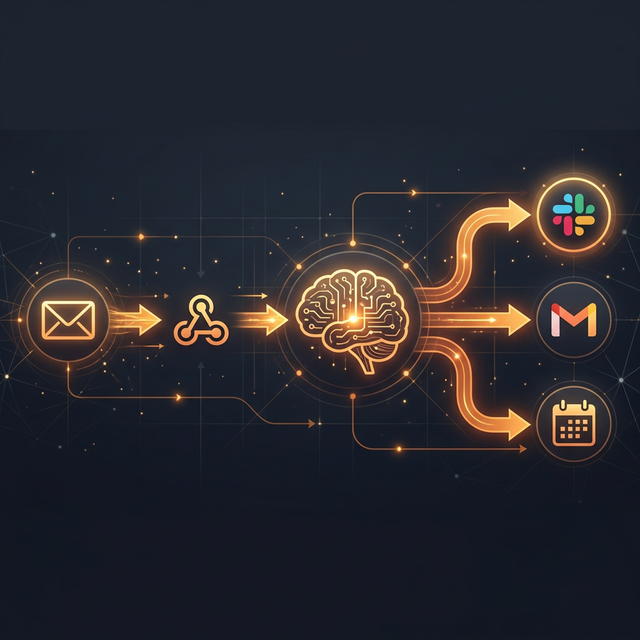
End-to-end automation infrastructure that turns manual processes into autonomous pipelines. 10+ workflows coordinate across Slack, Gmail, calendar, and CRM systems with LLM-powered classification and real-time alerting.
The Problem
Business operations generate a constant stream of signals — emails from clients, webhook events from payment systems, calendar conflicts, CRM updates, job opportunity notifications. Each signal requires a response, but the volume exceeds what manual processing can handle without dropping things.
The challenge isn't any single automation. It's building an infrastructure layer where new automations can be added without rewriting the plumbing — where email classification, webhook routing, and LLM-powered decision-making share common patterns and coordination mechanisms.
The Approach
n8n serves as the orchestration backbone — not because it's the most powerful tool, but because it runs on a residential IP (critical for Slack integration) and provides visual workflow debugging that LLM-generated bash scripts can't match for complex multi-step automations.
Emergency Email Detection
Monitors Gmail for high-priority patterns (family emergencies, client escalations, security alerts). Classified emails trigger immediate Slack notifications to #alerts-critical.
Morning Intelligence Brief
Daily at 07:00 PT: aggregates overnight email, calendar events, analytics anomalies, and task status into a single Slack message. Replaces 15 minutes of manual dashboard checking.
Stripe Donation Pipeline
Stripe checkout.session.completed webhooks route through a Cloudflare tunnel to n8n, which parses donor information and posts real-time notifications to #masumi-donations.
LinkedIn Opportunity Digest
Scans job opportunity signals, generates tailored application materials via Claude API (Haiku for cost efficiency), and queues results for review.
Supabase Keepalive
Automated queries to prevent Supabase free-tier auto-pause across multiple databases on separate accounts. Two workflows, two schedules, because they hit different Supabase instances.
Key Architectural Decision
The decision framework for automation tooling evolved through expensive trial and error: when to use n8n, when to use bash scripts, when to use Python.
- n8n: Multi-step workflows with API integrations, visual debugging, credential management, and Slack delivery (residential IP requirement).
- Bash: Single-purpose scripts, file operations, git automation, anything that runs in a CI/CD context or as a pre/post hook.
- Python: Data transformation, BigQuery queries, complex parsing, anything that benefits from libraries (pandas, google-cloud-bigquery).
The wrong choice wastes days. Building the Slack integration in Cloudflare Workers (bash/JS-first thinking) burned multiple days before the ASN blocking discovery. The right architecture matches the tool to the deployment constraint, not the developer's comfort zone.
Results
The automation infrastructure handles the operational overhead that would otherwise consume hours daily. New workflows follow established patterns — credential management, error handling, Slack delivery — so adding a new automation takes minutes, not days. The test suite catches regressions before they reach production.